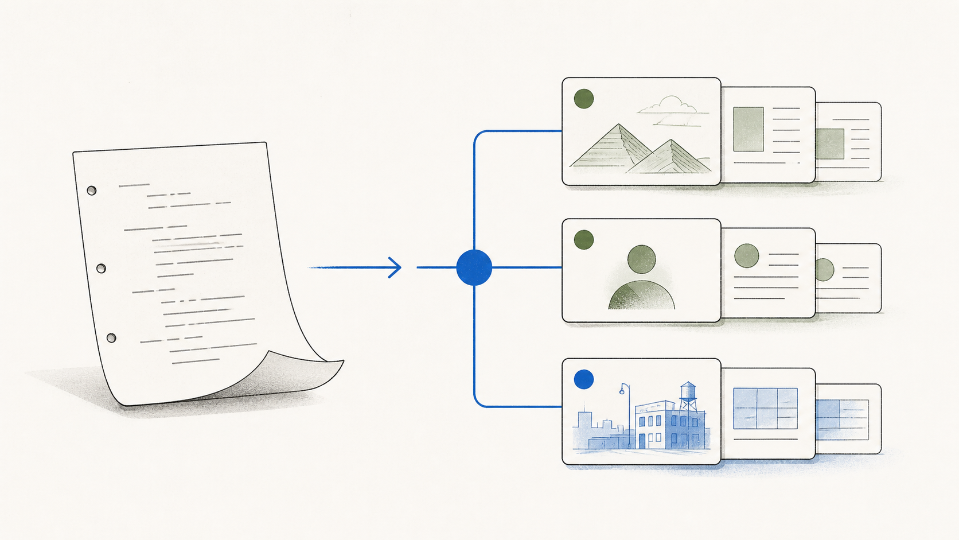
A student film group can inherit a screenplay that looks finished and still have no idea how it is built. The file opens, the dialogue sits in the right place, and the page numbers seem sensible. Then a location changes and nobody knows which scene list, character sheet, or production note should be corrected. A clean import is only the beginning of the lesson.
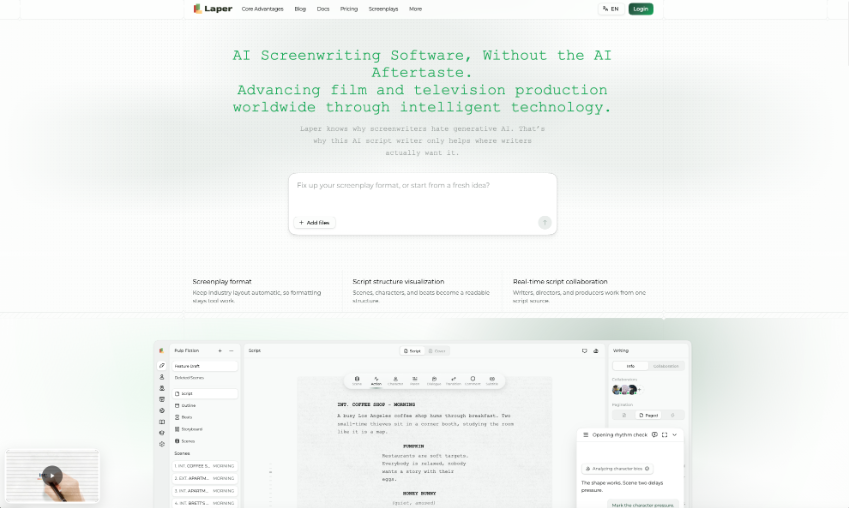
For a college project, AI Screenwriting Software is most useful when it makes source structure visible after the file arrives. Laper accepts supported Final Draft `.fdx` scripts, converts screenplay paragraphs into editor nodes, and derives scenes, locations, and recurring characters from those elements. The group should inspect that conversion before asking AI to expand or polish anything.
Choose The Project Type Before Importing
Laper separates Script projects from Cinema projects. A Script project holds screenplay text, outline, beats, derived scenes, characters, locations, props, shots, references, and collaboration around the page. A Cinema project is a visual-production document for reels, performance, shot design, storyboard images, and clips. They share navigation and collaboration, but one is not a hidden view inside the other.
If the class begins with an existing screenplay, the correct home is a Script project. Cinema does not import FDX, and the import is not a round-trip merge into a screenplay that already exists. It creates a new project and writes the converted script into that document. Making this choice first prevents a group from treating a visual reel as if it were the authoritative scene.
Let the screenplay own narrative facts. Scene headings should answer where and when a scene happens. Character cues should identify who speaks. Action should describe what the audience can see or hear. Those are not cosmetic labels. The system uses scene headings to derive scene order and location entities, and it uses character cues to connect recurring names to character records.
That relationship gives students a practical rule: correct a bad story fact on the page. If two scenes use the same classroom but one heading calls it “MEDIA LAB” and another says “COMPUTER ROOM,” decide whether they are one place or two, then fix the headings. Do not patch only a location card and leave the screenplay in disagreement.
Follow An FDX Import And Inspection Workflow
The import may finish quickly, but a class should reserve the next fifteen minutes for conversion review. Use the import entry with an FDX document whose Final Draft type is Script. Laper reads supported paragraph types, creates the screenplay nodes, and derives project entities while a progress overlay remains visible. Once the project opens, resist the urge to rewrite the first page.
Check Scene Headings Before Scene Cards
Open several scenes from different parts of the script and compare each heading with the derived scene and location. Watch for unusual dashes, prefixes, combined place names, and inconsistent time-of-day wording. A heading that looks harmless in a text editor may create two location entities or hide a repeat location from the class's production plan.
The important test is not whether every card looks tidy. It is whether top-to-bottom screenplay order remains authoritative. Move a scene only after the group understands what setup, payoff, and transition travel with it. The scene view should follow the page instead of becoming a second manual sequence.
Match Recurring Character Cues With Care
Check a character who appears early, disappears, and returns later. Imported cues may normalize recurring names, but students should review nicknames, age labels, titles, and spelling differences. “MRS PATEL,” “TEACHER,” and “ANITA” may be one person or three. Software cannot settle that story decision from typography alone.
If the cues refer to one character, fix them at the screenplay source before adding biography, casting, or relationship notes. The character views can then enrich the same entity without changing who actually speaks on the page. If they are different people, make the distinction clear enough that both the reader and the production team can follow it.
Review Unusual Paragraph Styles By Hand
Final Draft files sometimes contain custom paragraph styles, embedded metadata, or text that was formatted to imitate another element. Inspect montages, lyrics, on-screen messages, dual dialogue, and any page where the source file used a workaround. Very large imports may also be rejected by the temporary browser handoff, in which case simplifying embedded metadata or splitting the document is safer than repeatedly forcing the same file.
A compact checkpoint table keeps the review from turning into a general read-through:
|
Source element |
What to compare |
Fix location |
|
Scene heading |
Order, place, time of day |
Screenplay heading |
|
Character cue |
Recurring identity and spelling |
Screenplay cue |
|
Special paragraph |
Meaning and supported node type |
Imported screenplay block |
Once these checks pass, save a named version in history as the clean imported baseline. That milestone gives the class something stable to compare after a wide revision. It also separates conversion corrections from later creative changes.
Revise One Scene Without Losing The Source
Now choose one scene with a clear problem. The objective may arrive too late, the conflict may repeat, or a location may make the action impossible. Ask the group to state the scene's current job and the fact that must survive. Then select a scope that matches the issue instead of sending a vague request over the whole draft.
Use Outline Before Opening More Scenes
When the problem is structural, begin with the outline to locate the load-bearing material. If the second act feels flat, identify the scenes around the midpoint and pressure change, then read those scenes. When the problem is local, use the current focus, a scene, a range, or a known node. This sequence teaches students to gather only the context needed for the decision.
An AI Script Writer online should not be graded for producing the longest answer. Ask for one proposed change, apply only the part the group approves, and read the updated scene again. If the context is stale or the target ID no longer exists, Laper's tools fail closed and require a fresh read instead of guessing where the edit belongs.
Compare against the clean import baseline. Read the revised scene beside the baseline and mark what actually moved. Did the scene heading change? Did a character disappear from the derived cast? Did a new prop appear without a later payoff? Did the revised dialogue preserve the intended reveal? The comparison should name consequences, not simply count changed words.
A useful student note might say: “We moved the warning from dialogue into a visible action, so the scene now needs the cracked cable prop in both shots.” That sentence connects writing and production. “The AI made it more cinematic” does not tell the group what to prepare or what to protect.
Know Where FDX Import Has Clear Limits
FDX import does not merge changes back into an existing project, Cinema projects do not accept it, and unusual formatting still deserves inspection. These limits are manageable when the group treats import as a new baseline rather than an invisible conversion.
Learn Structure By Correcting Its Source
The project earns its place when students can trace each derived view back to the screenplay and explain the boundary of a proposed edit. Naming conflicts, scene logic, and dramatic turns remain decisions the group must resolve from the page.
The lesson is complete when students can import a script, inspect three source elements, save a baseline, make one bounded revision, and trace its effects into production. They have not merely learned where a button sits. They have learned why screenplay structure must remain accountable to the draft.