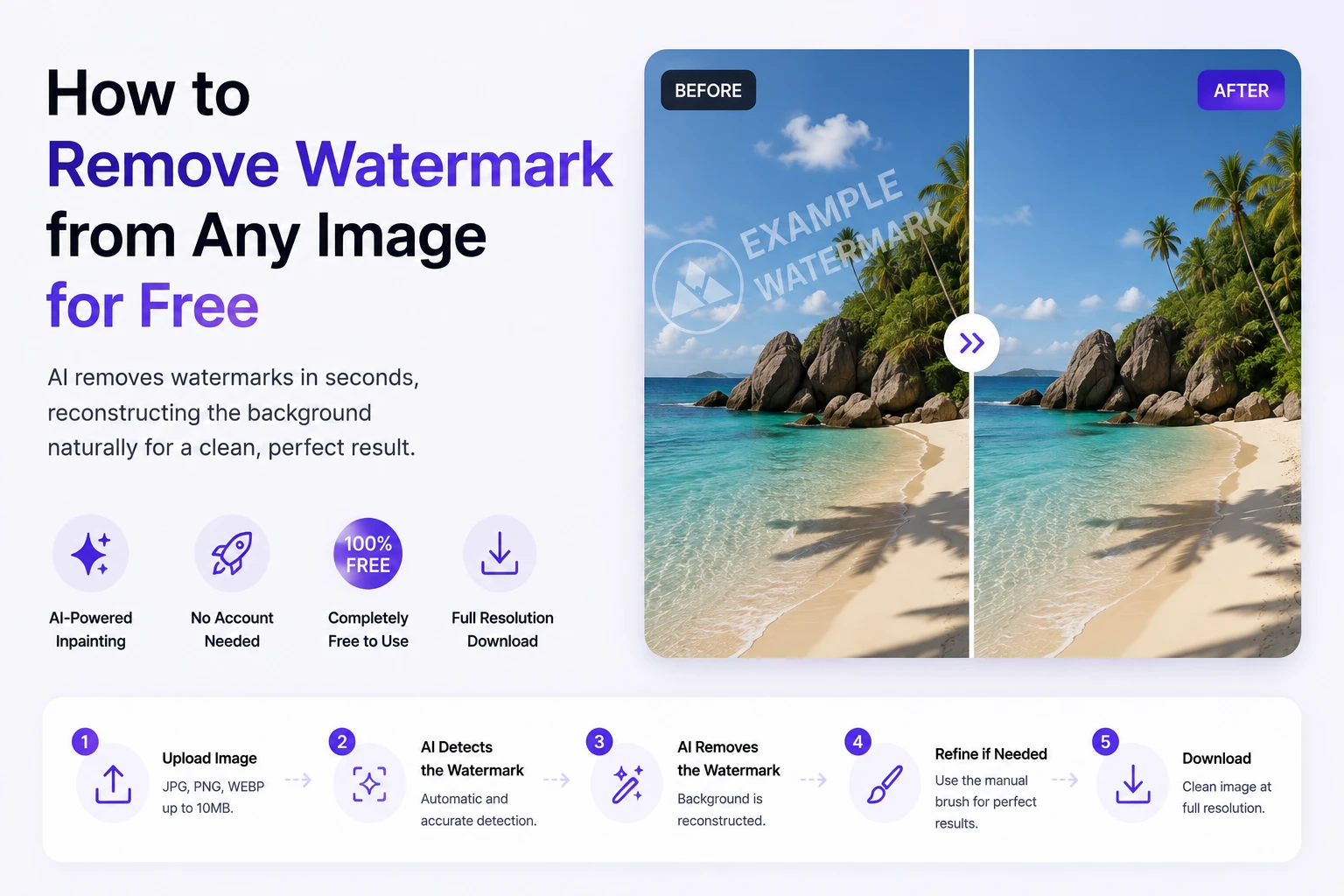
Need to remove watermark from a photo quickly and cleanly? Whether it’s a stock image preview, a supplier product photo with a manufacturer logo, a social media screenshot with platform branding, or a personal photo with a camera date stamp — AI makes it possible in seconds, for free, without installing software or creating an account. This guide explains how it works and how to get the cleanest result.
Why AI is the Best Way to Remove Watermarks
There are several approaches to removing watermarks from images, and they produce very different results:
| Method | How It Works | Quality of Result |
| Blur / smudge the area | Covers watermark with a blurry patch | Poor — the blur is more obvious than the watermark |
| Crop the image | Removes the area containing the watermark | Loses part of the photo permanently |
| Clone stamp (Photoshop) | Copies nearby pixels over the watermark | Variable — patchy on complex backgrounds |
| AI inpainting | Generates new pixels from full image context | Natural — seamless reconstruction |
AI inpainting is fundamentally different from all other approaches because it reconstructs rather than covers. The model has learned from millions of images what backgrounds should look like, and generates appropriate pixels for the area where the watermark was — producing results indistinguishable from the original watermark-free image.
Step-by-Step: How to Remove a Watermark
Step 1: Open Phototune.ai in your browser. No account, no software, no setup — the tool works immediately on any device.
Step 2: Upload your image. Drag and drop the file or click to browse. JPG, PNG, and WEBP formats are supported up to 10MB.
Step 3: The AI scans the image and automatically detects the watermark. For most common types — corner logos, diagonal text, timestamps, platform watermarks — detection is instant and accurate without any manual input.
Step 4: Preview the result. For straightforward watermarks on simple backgrounds, the removal is typically perfect. For watermarks on complex backgrounds, use the manual brush to refine any remaining traces.
Step 5: Download the cleaned image at full resolution. The output file maintains the same dimensions and quality as the original.
Common Watermark Scenarios
Stock photo previews: if you’ve licensed an image but accidentally downloaded the watermarked preview, removing the watermark is legal and straightforward. The AI handles the diagonal text overlays used by most stock platforms cleanly.
Supplier product photos: manufacturers often add their logo to product images before orders are confirmed. Removing it before uploading to a marketplace creates a cleaner, more consistent listing appearance.
Social media saves: TikTok, Instagram, and Pinterest all add platform branding to downloaded content. AI removes these corner logos and username overlays without affecting the main image.
Personal photos: camera date stamps, app logos, and filter names burned into the image can all be removed cleanly, making the photo suitable for printing or sharing without unwanted text.
Getting the Cleanest Result
- Use the highest resolution version of the image available — more pixels give the AI more context for reconstruction
- Check the result at 100% zoom before downloading — small artifacts are easier to spot at full resolution
- For watermarks on highly detailed backgrounds, the manual brush gives you precise control for final touches
- PNG format produces slightly better results than low-quality JPG because there are no pre-existing compression artifacts
Phototune.ai is a reliable free watermark remover that handles all common watermark types automatically. Upload your image, let the AI reconstruct the background, and download a clean result at full resolution — no account, no software, no cost.