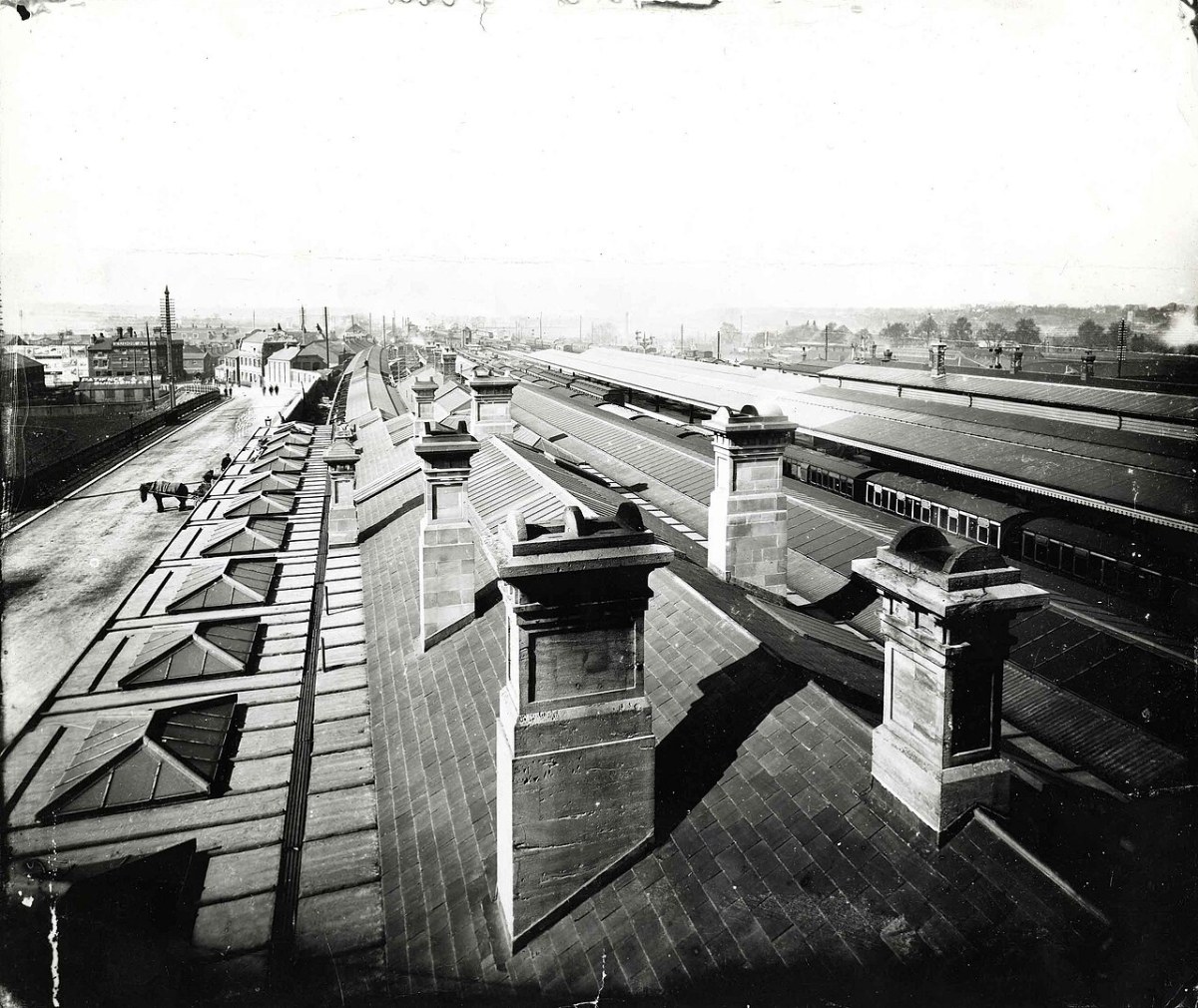
Historical photographs are among the most valuable resources for understanding the past. They show how people lived, how cities developed, and how important events were documented. However, a photograph captures only one moment. It cannot directly show what happened before or after the camera shutter was pressed.
AI image-to-video technology is introducing a new way to explore these historical materials. Students can use generative AI to add movement to still photographs, creating short visual presentations that make historical topics more engaging.
Tools such as Image2Video.art provide an accessible starting point for this process. Through an Image to Video AI workflow, students can use an existing image as a visual reference and describe the type of movement they want to generate. This makes it possible to experiment with animated historical photographs without manually creating every frame.
But there is an important distinction: an AI-generated animation is not historical evidence. It is an interpretation of a photograph, and students need to understand that difference before using it in academic work.
What Is AI Historical Photo Animation?
AI historical photo animation is the process of using generative video technology to transform an old photograph into a moving visual sequence.
Unlike traditional animation, which often requires manually adjusting individual frames or creating complex motion effects, image-to-video AI generates movement based on the supplied image and written instructions.
For example, a student working on a presentation about the Industrial Revolution might have an old photograph of a railway station.
The original photograph could be transformed into a short video featuring:
- A gradual camera movement toward the railway station.
- Subtle environmental movement.
- A cinematic zoom that reveals architectural details.
- A gentle transition that helps viewers focus on a particular part of the image.
The generated video can make the original material more visually engaging while retaining the photograph as its starting reference.
However, the technology may also introduce details that were never present in the original image. This is why historical photo animation requires more care than ordinary creative video production.
Why Students Are Exploring This Technology
Traditional academic presentations often rely on static photographs, maps, and diagrams.
These materials are useful, but they do not always capture the attention of an audience, particularly when a presentation contains many consecutive slides.
AI-assisted animation offers several potential benefits.
1. Making Historical Presentations More Engaging
A presentation about an ancient civilization, a major historical event, or the development of a city can become more visually interesting when historical photographs are presented through carefully controlled movement.
Rather than displaying an image without context, students can use a slow camera movement to introduce important architectural details or highlight different parts of a historical scene.
2. Improving Visual Storytelling
Historical subjects often involve complicated timelines and relationships.
An animated photograph can serve as a visual transition between different periods or sections of a presentation.
For example, a project about the development of transportation could use historical photographs of early trains, automobiles, and modern public transport.
The animation does not need to invent new events. Even subtle camera movements can help connect the images into a coherent visual sequence.
3. Supporting Different Learning Styles
Some students find it easier to understand information when it is presented visually.
Combining historical images, short animations, narration, and explanatory captions can provide an alternative to text-heavy presentations.
This can be particularly useful in history, social science, architecture, and cultural studies.
4. Making Better Use of Existing Materials
Students do not always have access to professional video footage or expensive production equipment.
Historical photographs from archives, museums, and public collections can provide a starting point for creating educational visual content.
AI animation allows students to experiment with these materials while keeping the original photographs as the foundation of their presentations.
A Step-by-Step Workflow for Animating Historical Photographs
Creating a historical photo animation should begin with research, not with a video generation prompt.
The following workflow helps students produce more responsible and informative results.
Step 1: Find and Verify the Original Photograph
Before animating a photograph, establish where it came from.
Useful sources include:
- National and public archives.
- University digital collections.
- Museum photograph collections.
- Historical libraries.
- Government documentation.
- Properly licensed historical image databases.
Record the original title, creator if known, approximate date, location, and source.
Also check whether the image is in the public domain or whether permission is required for reuse.
An old photograph is not automatically free of copyright restrictions.
Students should retain an unmodified copy of the original image. This makes it possible to compare the generated animation with the actual historical source.
Step 2: Decide What the Animation Should Communicate
Do not begin by asking an AI model to make a photograph look cinematic.
Instead, identify the educational purpose of the animation.
For example:
Project topic: The Industrial Revolution.
Original material: A historical photograph of a factory.
Educational objective: Help viewers understand the scale and architecture of early industrial workplaces.
Animation objective: Slowly move the camera toward the factory building while preserving the original composition.
This approach gives the animation a clear purpose.
It also reduces the likelihood of unnecessary visual changes.
Step 3: Prepare the Photograph
Historical photographs often have scratches, low resolution, fading, or other visual imperfections.
Basic image preparation can help improve the starting material.
Consider:
- Cropping unnecessary borders.
- Adjusting brightness and contrast.
- Correcting the orientation.
- Removing scanning artifacts when appropriate.
- Improving image clarity without changing historically significant details.
Be careful with AI image restoration. An enhancement model may invent facial features, clothing details, or architectural elements that are difficult to distinguish from the original photograph.
Keep the original scan available as a reference.
Step 4: Write a Controlled Motion Prompt
The prompt should explain how the image should move, not ask the AI to rewrite its historical content.
For example, consider a photograph of an old railway station.
A suitable prompt could be:
“Create a slow cinematic camera push-in toward the railway station. Preserve the original architecture, buildings, people, clothing, and composition. Maintain the historical photographic appearance. Do not introduce new people, objects, vehicles, or events.”
For a historical city photograph, another example could be:
“Apply a gentle left-to-right camera pan across the original street scene. Preserve all existing buildings and architectural details. Maintain the original monochrome photographic style without adding modern objects or changing the historical setting.”
These prompts emphasize visual presentation rather than fictional reconstruction.
Step 5: Generate and Review the Video
After submitting the source image and prompt, review the generated result carefully.
Pay attention to:
- Changes to people’s faces and clothing.
- Unexpected architectural modifications.
- Objects that appear or disappear.
- Distorted signs and written text.
- Movement that was not present in the original photograph.
A visually attractive result is not necessarily a historically accurate one.
If the generated clip changes important details, try reducing the requested movement or using a simpler camera effect.
Step 6: Add Historical Context and Citations
The generated animation should not replace the original photograph or its source information.
A good academic presentation should include:
- The original historical photograph.
- Its source and available date information.
- The AI-generated animation.
- A short explanation of what was changed.
- A clear statement that the movement was artificially generated.
For example, a caption could read:
“Original photograph: [Archive Name], circa 1920. Animated using AI image-to-video generation. Camera movement is synthetic and does not represent documented historical footage.”
This makes the distinction between the original evidence and the generated presentation clear.
How to Avoid Creating False Historical Information
This is arguably the most important part of using AI animation in historical education.
Generative video models predict plausible visual sequences. They do not independently verify historical facts.
A model might create a convincing animation of a historical street, but that does not mean the movement, people, or events shown actually occurred.
Students should follow several basic principles.
Do Not Invent Historical Events
If a photograph shows a group of people standing outside a building, do not ask an AI model to make them participate in an event that has not been documented.
A generated action can easily be mistaken for historical footage when presented without explanation.
Avoid Presenting AI-Generated Details as Original Evidence
AI may reconstruct missing parts of an image, modify clothing, or change architectural features.
These changes should not be used as proof of how something originally looked.
If a reconstruction is necessary for educational purposes, label it as an AI-generated interpretation.
Preserve the Original Photograph
Always retain the unmodified image and make it available alongside the generated animation.
This allows teachers, students, and viewers to understand what the AI actually changed.
Verify Important Historical Claims
Dates, locations, names, and historical events should be checked against reliable sources.
An AI-generated video can support a historical explanation, but it should never replace the research behind that explanation.
Practical Applications Across Academic Subjects
Historical photo animation is not limited to history classes. The same workflow can support several other academic subjects.
History and Social Science
Students can animate archival photographs to introduce historical periods, urban development, cultural changes, and significant social events.
The original photographs provide historical context, while generated camera movements help audiences examine visual details.
Architecture and Civil Engineering
Historical photographs of buildings, bridges, and infrastructure can be used in presentations about architectural development.
A slow camera movement can help highlight construction styles and structural details.
However, an AI animation should not be treated as an accurate engineering reconstruction.
Geography and Urban Studies
Students studying urban development can combine historical photographs with maps and modern images.
For example, a presentation about the growth of a city could show how a particular area looked several decades ago, followed by a comparison with its current appearance.
AI animation can provide visual transitions between the materials, while maps and documented photographs establish the actual changes.
Art and Cultural Studies
Historical paintings, cultural illustrations, and archival visual collections can be used as starting points for creative educational projects.
Students can explore composition, artistic styles, and visual storytelling while clearly identifying any generated movement as an interpretation.
Limitations of AI Historical Photo Animation
Despite its potential, the technology has several limitations.
Facial consistency: AI-generated movement can change facial features, particularly when photographs contain multiple people or faces with limited detail.
Historical accuracy: The model may introduce objects, clothing, or environmental details that do not match the original period.
Text preservation: Signs, handwritten notes, and other historical text may become distorted during video generation.
Source image quality: Extremely damaged or low-resolution photographs may produce unpredictable results.
Interpretation versus evidence: The most important limitation is that generated movement is not proof of what happened in the past.
Students should treat AI animation as a presentation technique rather than a historical reconstruction method unless the reconstruction is independently researched and properly documented.
How to Structure an Academic Project Around AI Historical Animation
Students who want to explore this technology in a seminar or college project can use a simple research structure.
| Section | What to include |
|---|---|
| Introduction | Explain historical photo animation and its educational purpose |
| Background | Introduce image-to-video AI and generative video technology |
| Source material | Identify the original photographs and their historical sources |
| Methodology | Explain image preparation, prompts, and generation settings |
| Results | Present original photographs alongside generated videos |
| Evaluation | Discuss visual consistency, accuracy, and limitations |
| Conclusion | Evaluate whether AI animation improved the presentation |
A useful project could compare several different prompts using the same historical photograph.
For example, students could test a static camera, a slow zoom, and a horizontal camera pan.
They could then evaluate which result best communicates the intended information while introducing the fewest unwanted changes.
This creates a practical demonstration that combines AI technology with critical thinking and academic research.
The Future of AI in Historical and Educational Storytelling
Generative AI is changing the way educational materials can be created.
Students who previously depended on static images and manually edited slides can now experiment with animated visual presentations using accessible online tools.
The technology is especially interesting because it allows existing visual materials to be reused in new ways.
However, the value of an educational animation does not come from movement alone. It comes from the quality of the research, the clarity of the explanation, and the accuracy of the information being presented.
As image-to-video models continue to develop, they may become increasingly useful for museums, educators, researchers, and students.
The most responsible approach is to combine AI-generated visuals with verified historical sources and transparent explanations.
In education, making history more engaging should never come at the expense of making it less accurate.
Frequently Asked Questions
What is AI historical photo animation?
AI historical photo animation uses generative video technology to transform an existing historical photograph into a moving visual sequence. The process can introduce camera movements and other visual effects while using the original photograph as a reference.
Can students animate old photographs using AI?
Yes. Students can use image-to-video platforms to experiment with historical photographs and create short educational clips. They should first verify the image source and ensure that the generated animation is clearly identified as AI-created.
Does AI animation show what actually happened in a historical photograph?
No. AI-generated movement is a synthetic interpretation. It does not establish that the depicted movement or events actually occurred.
How can students prevent AI from changing historical details?
Use simple prompts that prioritize composition preservation and limited camera movement. Review the output carefully and compare it with the original photograph before including it in an academic presentation.
Can AI-animated historical photographs be used in college presentations?
Yes, provided that the source image is used appropriately, copyright requirements are respected, and AI-generated movement is disclosed. Students should also follow their institution’s academic integrity policies.
What is the difference between traditional photo animation and image-to-video AI?
Traditional photo animation generally relies on manually controlled effects, keyframes, and editing techniques. Image-to-video AI uses generative models to predict and create movement from an input image and written instructions.
Should AI-generated historical videos be cited in academic projects?
Students should identify the AI tool and disclose how the video was generated. They should also cite the original photograph and any historical sources used to support their explanation. The AI-generated video should not be cited as evidence of an actual historical event.